Examine IDE, SCSI and SATA disks

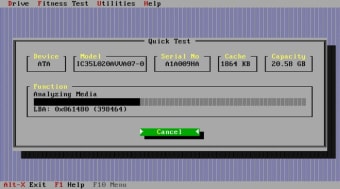
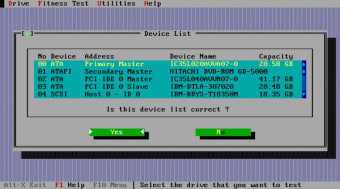
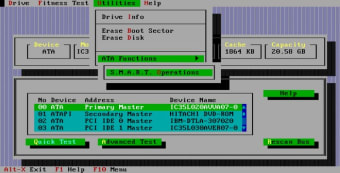
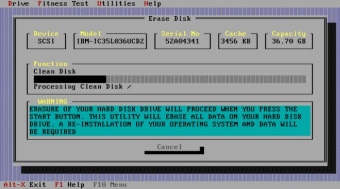
How fit is your hard drive? Drive Fitness Test (DFT) is a technology that uses a PC-based software program that accesses Hitachi hard drive microcode to enable diagnosis of hard drive operations. This is perfect if you think you've been suffering from hardware or hardrive failure.

Top Recommended Alternative
DFT microcode automatically logs significant error events, such as hard drive errors and builds a history of all reassigned sectors. This log is kept in a special reserved area of the drive which you can then use for technical analysis by the manufacturer or technician. DFT microcode also performs a mechanical analysis of the hard drive in real time. Parameters such as disk shift, servo stability, and Repeatable Runout (RRO) are calculated by reading the servo's Position Error Signal (PES) and analyzing the patterns in the PES. This is an interesting new test for hard drives - the signals that control the actuator are also used to analyze the mechanical status of the disk stack.

DFT microcode also supports the creation and use of a special protected "diagnostic partition" on the media. This volume is a separate range of sector addresses that can be used to contain the DFT software and other diagnostic software.

If you have a Hitachi manufactured drive, this tool can help you diagnose difficult problems although without a certified technician to analyse the results, they won't mean much to you.


  • Pros

    • Analyses for severe problems and issues
    • Quickly diagnoses integrity issues
  • Cons

    • Only suitable for Hitachi drives
 0/6

App specs

  • License

    Free

  • Version

    4.16
  • Latest update

  • Platform

    Windows

  • OS

    Windows XP

  • Language

    English

  • Downloads

    62.4K

    Last month's downloads

    • 34
  • Size

    2.79 MB

  • Developer

Program available in other languages


User reviews about IBM - Hitachi Drive Fitness Test

2

2 reviews

Add review

Main reviews for you

  • Anonymous user

    Trojan is detected. . And it tried to install some toolbar on my browser without authorization! Trojan virus is detected using Immunet protect.

  • Anonymous user

    Excellent application. Recently hard drive of my lenovo T61 crashed and I had a lot of important data in it. I took it to a professional data recovery team, which was not able to extract the data from the crashed drive. Then I read about this tool and used it. In a matter of one hour I had my whole hard drive restored. I dont know how to thank Hitachi for creating this amazing application. Kudos to Hitachi team :) Pros: 1. Very easy to use tool2. Very fast 3. Very detailed instruction manual Cons: 1. Instead of bootable floppy diskette, files, it would be good if files for making a bootable USB is provided

More

You may also like

Alternatives to IBM - Hitachi Drive Fitness Test

Explore Apps

Latest articles

Laws concerning the use of this software vary from country to country. We do not encourage or condone the use of this program if it is in violation of these laws.
Softonic

Is IBM - Hitachi Drive Fitness Test safe?

100/100

Score result: Clean

This file passed a comprehensive security scan using VirusTotal technology. It is safe to download.

  • Virus free
  • Spyware free
  • Malware free
  • Verified by Security Partners

    VirusTotal logo

Scan Info

Last scan
Sunday, October 15, 2023
Scan provider
VirusTotal · Full report

File Integrity

File
IBM_Hitachi_Drive_Fitness_Test_v4.16.iso
SHA256
7743b9690e34b99042aadb3d5d70e13b44a03525db80aee381dc175c170b3326
SHA1
bb530c012a15b2d123480e33286239d19af853bb

Softonic security commitment

IBM - Hitachi Drive Fitness Test has been thoroughly scanned by our advanced security systems and verified by industry-leading partners. This file comes from the official developer and has passed all our security checks, showing no signs of viruses, malware, or spyware. For more information, visit our Security and Trust Center